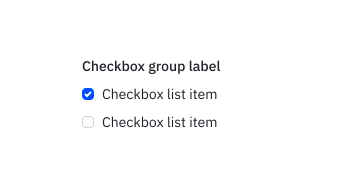
Radio
Radios allow the user to select a single choice from a list of two or more options that are mutually exclusive. The authoritative package is @camp/radio-button.
Loading...
Loading...
Overview
Resources
Install
yarn add @camp/radio-buttonProps
| Prop | Type | Default | Description |
|---|---|---|---|
value * | RadioValue | — | Value of the radio button. |
key † | Key | — | |
onChange | ChangeEventHandler<HTMLInputElement> | — | Native input onChange event handler |
onCheckedChange | (checked: boolean) => void | — | Fires with boolean of the new checked state, for convenience |
Generated from @camp/radio-button@4.14.0 source, ordered by production usage. * required. † standard HTML attribute — all native attributes are supported; only those with production usage are listed.
Upgrading To Next Gen
The Radio Button component is consolidated into @camp/radio-button. If you previously used @camp/ai-radio-button, migrate to @camp/radio-button and the RadioGroup and RadioButton exports.
🧩 Single package: Use RadioGroup for a labeled, accessible group and RadioButton for each option.
🔆 Theming: Use the component within an app that provides Camp tokens / ThemeProvider where theming is required.
Example
import { RadioGroup, RadioButton } from '@camp/radio-button';

<RadioGroup name="plan" value={selected} onChange={setSelected} label="Choose a plan">
  <RadioButton value="starter">Starter</RadioButton>
  <RadioButton value="pro">Pro</RadioButton>
</RadioGroup>;
Variations
Radio Group (Playground)
Use the radio group when items are exclusive to each other and closely related. It is typically used under a group label (label on RadioGroup, or the text component for visible headings).
import { RadioGroup, RadioButton } from '@camp/radio-button';

<RadioGroup name="example" defaultValue="a" label="Options">
  <RadioButton value="a">Option A</RadioButton>
  <RadioButton value="b">Option B</RadioButton>
  <RadioButton value="c">Option C</RadioButton>
</RadioGroup>;
Horizontal Radio Group
import { RadioGroup, RadioButton } from '@camp/radio-button';
<RadioGroup name="example" defaultValue="a" label="Options" orientation="horizontal">
  <RadioButton value="a">Option A</RadioButton>
  <RadioButton value="b">Option B</RadioButton>
  <RadioButton value="c">Option C</RadioButton>
</RadioGroup>;
Usage
Best Practices
- When grouped, radios should be in some logical order that makes it easy for the user to read and understand, whether that is numerical or alphabetical or some other contextually-based grouping.
- Multiple radios should always be displayed vertically, even if not in a grouping. An exception to this rule would be two radios with extremely short labels, such as "yes" and "no" options.
- Radio groupings are perfect for 10 or less options. If there are more to choose from, use a dropdown instead.
Content Guidelines
Radio labels should be clearly written, in sentence case and avoiding punctuation at the end.
✅ DO
-
Create a campaign
-
Add a contact
-
Start a conversation
-
Read my report
🚫 DON’T
-
Create A Campaign.
-
Add A Contact.
-
Start A Conversation.
-
Read My Report.
Accessibility
Keyboard Support
- Move focus to each radio using the
tabkey, orshift+tabto move backwards - To interact with the radio when it has keyboard focus, press the
spacekey